Docs
iOS
NSH apps run on iOS with UIKit views and CoreText text, on devices and in the simulator, from iOS 15.0. Whole apps run
and package as on the other platforms, and an existing app can show NSH apps in its own views, a Rust root it links
or TSX it loads, including signed packages it downloads, under limits and capabilities it sets. On iOS, os() is Os::Ios (platform.os is "ios" in TSX) and TSX’s ios={{…}} props apply.
#Requirements
- Xcode on a Mac, with an iOS simulator runtime (
xcodebuild -downloadPlatform iOSinstalls one). See Installation. - Apps need iOS 15.0 or later, or the later version an app names (Minimum system version), on iPhone and iPad.
#Running an app
A Rust app runs from its directory, a TSX app names its entry:
nsh run --target ios                                  # a Rust app
nsh run --target ios --device "iPhone 16 Pro"
nsh run App.tsx --target ios                          # a TSX app
nsh uses a booted simulator, or boots the newest iPhone. For a Rust app it builds the app’s own runner with your
crate, installs it and shows its logs in the terminal; a change to the crate’s Rust code builds it again and restarts
the app. For a TSX app it installs the development host and keeps the app up to date as you save, with logs in the
terminal. --device picks a simulator by name or UDID. For a quicker loop
without a simulator, nsh run --target catalyst on a Mac opens the same UIKit backend in an iPhone-sized
Mac Catalyst window.
#Packaging
nsh package --target ios-simulator --run      # .nsh/out/<Name>.app, installed and launched in the simulator
nsh package --target ios --sign "Apple Distribution: Example Inc (ABCDE12345)" --profile AppStore.mobileprovision
From a Rust app’s directory, the app is the iOS runner built with your crate; a TSX app names its entry
(nsh package App.tsx --target ios-simulator --run).
--target ios writes a signed .ipa for devices, TestFlight or the App Store. Signing identities, provisioning
profiles and icons: Packaging.
The app logs its warnings, its errors and its console.log and console.info lines to the unified log, with its id
as the subsystem: Console shows a connected iPhone’s, and
xcrun simctl spawn booted log stream --predicate 'subsystem == "com.example.notes"' the simulator’s
(A packaged app’s logs).
#Embedding in an iOS app
An existing iOS app can show NSH apps inside its own UI. An iOS app with Rust code links your crate and the
nsh-platform-ios crate and shows your root in an AppView (Embedding a Rust app). A Swift
app links NativeShell.xcframework, a framework with a Swift module: you create an NshAppView (a UIView),
add it anywhere in your view hierarchy and load a TSX app or a signed package into it. Your native screens,
navigation and the NSH app live side by side in one UIKit hierarchy.
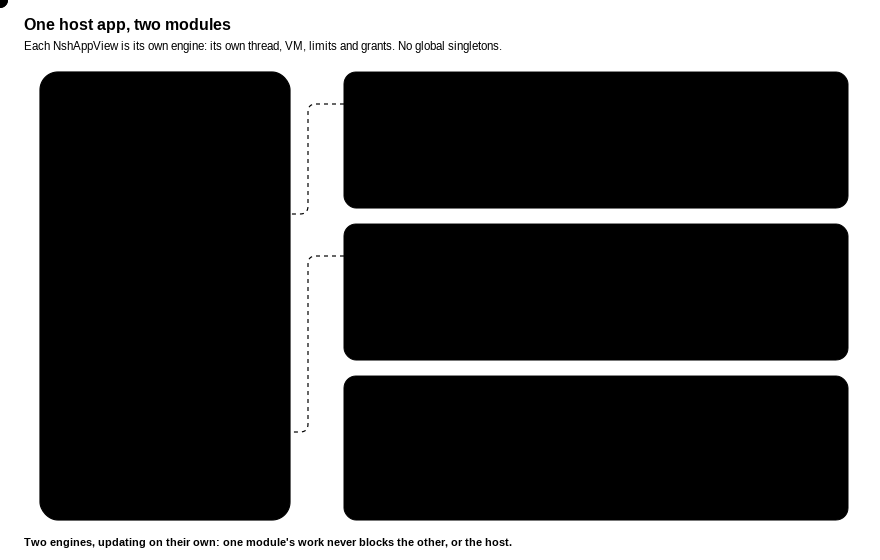
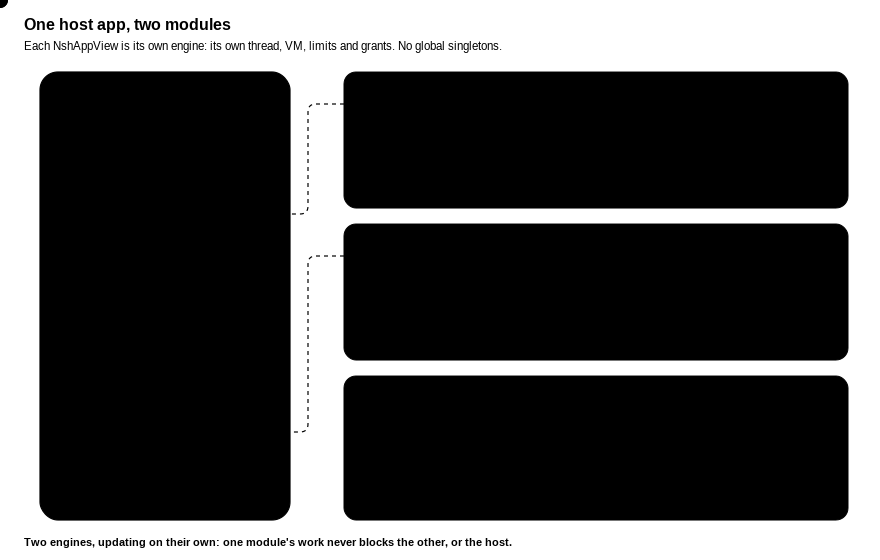
Each view is one independent engine; there are no global singletons, so an app can show several NSH apps at once, for example one per tab.
#Embedding a Rust app
nsh_platform_ios::AppView is one engine as a UIView for an iOS app built with Rust: it mounts your crate’s root
component, with no JavaScript VM involved.
use nsh_platform_ios::{set_ui_sets, AppView, Root, SurfaceOptions};
use objc2::MainThreadMarker;
use objc2_ui_kit::UIView;

fn show(container: &UIView) -> AppView {
    // Once, before the first view: the UI sets the apps import (NSH's and your crate's).
    set_ui_sets(vec![nsh_base::registry(), my_app::registry()]);
    let mtm = MainThreadMarker::new().expect("main thread");
    let app = AppView::new(mtm, container.bounds(), SurfaceOptions::default());
    container.addSubview(app.view());
    app.run(Root::of::<my_app::App>());
    // Keep the AppView: dropping it stops the app.
    app
}
The view resizes with its superview. AppView::run replaces whatever ran; AppView::load runs a TSX bundle instead
(Bundle::source, or unsafe { Bundle::bytecode(bytes) } for a bundle.nshc in the app bundle). SurfaceOptions
holds the limits, the granted capabilities, the data directory and the native components, as NshAppView’s members
below do; AppView::set_locale, set_font_scale and set_error_handler match locale, fontScale and onError.
nsh package --target ios builds this kind of app for you, with your root mounted.
#Get the framework
The distribution contains both variants:
dist/nsh/embed/ios/NativeShell.xcframework      release: bundles and signed packages
dist/nsh/embed/ios/NativeShellDev.xcframework   also connects to a `nsh dev` server
From a checkout of NSH you can build just the frameworks:
cargo xtask ios-embed # writes dist/nsh/embed/ios/{NativeShell,NativeShellDev}.xcframeworkThe default build produces static frameworks. To build dynamic frameworks, use:
cargo xtask ios-embed --dynamicDynamic frameworks give the runtime its own library image and unwind table, supporting host apps that already link other Rust runtimes. Choose the Xcode embedding setting below to match the framework you build.
By default, each XCFramework has three arm64 slices: iOS devices, the iOS simulator (Apple silicon) and Mac Catalyst. The minimum deployment target is iOS 15.0. The Swift module is compiled with library evolution, so apps built with other Swift compiler versions can import it, and the framework links everything it needs: you add nothing else.
#Add it to an Xcode project
- Drag
NativeShell.xcframework(orNativeShellDev.xcframeworkfor development builds) into the app target’s Frameworks, Libraries, and Embedded Content. Choose Do Not Embed for the default static frameworks, or Embed & Sign for dynamic frameworks built with--dynamic. - In Swift,
import NativeShell. - In the app’s
Info.plist, setCADisableMinimumFrameDurationOnPhonetoYES: on ProMotion iPhones the app’s animations then move at 120 Hz, as scrolling does (apps built bynsh packagehave it).
#Ship a bundle with the app
A Swift app ships TSX apps as bundles. Build the NSH app into a folder and add that folder to the app’s resources as a folder reference named nsh:
nsh build App.tsx --release --out MyApp/nshnsh build writes:
| File | Contents |
|---|---|
bundle.nshc |
The app compiled to bytecode: the fastest to load. |
bundle.js |
The same app as JS source. |
bundle.js.map |
Its source map (stack traces point at your .tsx files). |
capabilities.json |
The capabilities the app declares, when nsh.json has any. |
assets/ |
Images and fonts the app imports, at their paths in the app’s directory. |
#Show the app
import NativeShell
import UIKit

final class EmbedController: UIViewController {
    private let app = NshAppView()

    override func viewDidLoad() {
        super.viewDidLoad()
        app.translatesAutoresizingMaskIntoConstraints = false
        app.onError = { message in print("nsh error: \(message)") }
        view.addSubview(app)
        NSLayoutConstraint.activate([
            app.topAnchor.constraint(equalTo: view.safeAreaLayoutGuide.topAnchor),
            app.leadingAnchor.constraint(equalTo: view.leadingAnchor),
            app.trailingAnchor.constraint(equalTo: view.trailingAnchor),
            app.bottomAnchor.constraint(equalTo: view.bottomAnchor),
        ])

        guard let url = Bundle.main.url(forResource: "bundle", withExtension: "nshc", subdirectory: "nsh") else { return }
        do {
            try app.loadBundle(at: url)
        } catch {
            print("cannot load: \(error)")
        }
    }

    // Let the embedded app's pages and dialogs decide the status bar.
    override var preferredStatusBarStyle: UIStatusBarStyle { NshAppView.preferredStatusBarStyle }
    override var prefersStatusBarHidden: Bool { NshAppView.prefersStatusBarHidden }
    override var preferredStatusBarUpdateAnimation: UIStatusBarAnimation {
        NshAppView.preferredStatusBarUpdateAnimation
    }
}
The view’s size is the app’s window: NSH lays the app out at the view’s bounds and again whenever they change. Loading again replaces the running app; the app stops when the view is deallocated.
The complete sample, a UIKit app that shows an NSH app below its own native header, is examples/embed-ios/main.swift.
#NshAppView
NshAppView is a UIView subclass isolated to the main actor.
| Member | Description |
|---|---|
init(frame: CGRect = .zero, trace: Bool = false) |
Creates the view. trace logs the time of every commit. init?(coder:) supports storyboards and nibs. |
onError: ((String) -> Void)? |
Receives fatal app errors (a bundle that fails to load, uncaught JS exceptions, a VM stopped by a limit) on the main thread. Errors are always logged; development builds also show them over the app. |
limits: NshLimits |
The VM limits of the apps loaded from now on. |
grantCapabilities(_ json: String?) throws |
The most the apps loaded from now on may do, as JSON in the form of nsh.json’s capabilities; nil grants what each app declares. Throws NshError for invalid JSON. |
locale: Locale? |
The app’s language and region in place of the user’s: Intl, locale() and the components follow it at once, and the apps loaded later start in it. nil follows the system’s. |
fontScale: CGFloat? |
The text size in place of Dynamic Type’s (1 is the default): texts and inputs are laid out again at it and fontScale() reads it, at once and for the apps loaded later; lengths keep their size. nil follows the system’s. |
setThemeOverrides(_ json: String?) throws |
The host’s brand over the app’s theme: a theme file in the format of nsh.json’s "theme". Its tokens win over the app’s of the same names, in light and dark mode, and the app’s others stay. Applies at once and to the apps loaded later; nil gives the app its own theme back. Throws NshError for a file that does not parse. |
registerFont(_ data: Data) throws |
Registers a font file (TrueType, OpenType, WOFF or WOFF2) the host ships. Apps name its family in fontFamily and do not bundle the file. A font registered before a load is in that app’s first frame; one registered while an app runs is used from the next layout. Throws NshError when data is not a font. |
storageDirectory: URL? |
Where the apps loaded from now on keep their storage; nil: Library/Application Support/nsh/<app id>, by the app’s own id. |
cacheOptions: NshCacheOptions |
Where the apps loaded from now on keep their caches, the images they download, and how much each keeps: location .system (Library/Caches/nsh, each app in <app id>), .directory(URL) or .off; images .default (256 MB), .maxSize(megabytes:) or .off. |
loadBundle(at url: URL) throws |
Runs a bundle written by nsh build. Assets come from assets/ next to it; bundle.js.map and capabilities.json next to it are read too. |
run(_ package: NshPackage) |
Runs a verified signed package (see below). A package runs once. |
loadPackage(at:trust:) async throws -> NshPackage.Info |
Verifies the package at a URL off the main thread, then runs it. Throws why it was refused; the running app stays. |
connectDevServer(_ url: URL) throws |
Development: loads from a nsh dev server and reloads on every change. Throws with NativeShell.xcframework, which has no development support. |
register(component:_:) |
Registers a native component. |
watchScroll(_ nativeID: String, _ watcher: NshScrollWatcher?) |
Follows and drives the app’s <Scroll> with that nativeID from the main thread, in the frame of the scroll (Following a scroll view); nil stops watching. |
params: [String: Any] |
The launch parameters of the apps loaded from now on: the app reads them at start as host.params (host). |
send(_ name: String, _ data: Any? = nil) |
Sends an event to the app (host.on(name, …)); kept until it listens, or for the next app while none runs. |
handle(_ name: String, _ handler:) |
Handles the app’s calls (host.call) and posts (host.post) of name on the main thread: { data, reply in … }, or an async throws function { data in … } whose result answers the call. |
removeHandler(_ name: String) |
Removes the handler of name: the app’s calls of it fail at once. |
static preferredStatusBarStyle, prefersStatusBarHidden, preferredStatusBarUpdateAnimation |
What the running apps asked for (their pages’ and dialogs’ statusBar, nsh.json’s default): return them from the hosting view controller’s overrides. |
limits, grantCapabilities, storageDirectory and cacheOptions apply from the next load: set them before loadBundle / run.
Each app keeps its storage under its own id with no setting: a signed package under the id its release key’s certificate vouches for, a bundle under the id of its nsh.json (app.json next to it, written by nsh build). Set storageDirectory to keep an app’s data somewhere of the host’s choosing:
app.storageDirectory = FileManager.default
    .urls(for: .applicationSupportDirectory, in: .userDomainMask)[0]
    .appendingPathComponent("nsh/com.example.orders")
try app.loadBundle(at: url)#Talking to the app
The view and the app it runs talk through a channel of their own (host): launch
parameters the app reads at start, events from the host app, and calls and posts from the app, with JSON data
(Foundation objects on this side). It needs no view in the app and no native component.
// Before loading: what the app opens first (`host.params` in TSX).
app.params = ["conversation": notification.conversationID]
try app.loadBundle(at: url)

// The app's `await host.call("user.profile", { id })`: return the answer, or throw to reject it.
app.handle("user.profile") { data in
    let id = (data as? [String: Any])?["id"] as? Int ?? 0
    let profile = try await api.profile(id: id)
    return ["id": id, "name": profile.name]
}

// A handler that answers later, from any thread, with its reply.
app.handle("photo.pick") { _, reply in
    picker.present { url in
        if let url { reply.resolve(url.absoluteString) } else { reply.reject("cancelled") }
    }
}

// The app's `host.post("analytics", …)`: no answer.
app.handle("analytics") { data, _ in analytics.log(data) }

// Later: the app hears `host.on("conversation.open", …)`.
app.send("conversation.open", ["id": tapped.conversationID])
Handlers run on the main thread; a call waits for its answer in the app without blocking either side. A reply
released unanswered fails the call, and a call of a name with no handler fails at once. Events of names the app does
not listen to yet are kept until it does, and events sent while no app runs (before loadBundle, during a reload) go
to the next one, so a notification tapped while the app starts still reaches it.
#Following a scroll view
Native UI of the host sometimes moves with the app’s content in every frame: a sheet under the page that the end of
the content pulls up, a header that collapses with it. Forwarding onScroll through JS to the host is a frame late,
so the host watches the app’s <Scroll> by its nativeID instead and gets an NshScrollHandle to it. Everything runs
on the main thread, in the frame of the scroll, without JS. The API is the same on Android, in each platform’s units.
Give the <Scroll> a nativeID (it names the view for native code; testID stays for tests):
<Scroll nativeID="page">…</Scroll>final class Sheet: NshScrollWatcher {
func onAttached(_ handle: NshScrollHandle) { // at once when it is there; again after a reload
handle.onScroll { [weak self] scrollX, scrollY, dx, dy in self?.follow(handle) }
handle.onContentSizeChange { [weak self] contentWidth, contentHeight in self?.follow(handle) }
}
func onDetached() { reset() } // deleted, nativeID changed or the app stopped
}
app.watchScroll("page", sheet)NshScrollHandle |
|
|---|---|
scrollX, scrollY |
The offset from the start of the content (insets not counted), in points. |
contentWidth, contentHeight |
The content’s size (at least the viewport’s), in points. |
viewportWidth, viewportHeight |
The visible size, inside the insets, in points. |
contentView |
The view the app’s content is laid out in: the positions of the app’s views inside are relative to it. |
scrollBy(dx:dy:animated:) |
Scrolls at once or with UIKit’s animation, clamped to the content, as the user’s scroll would: the app’s onScroll hears it. |
stopScrolling() |
Ends a fling or an animated scroll where it is; nothing at rest. |
onScroll(_:), onContentSizeChange(_:) |
(scrollX, scrollY, dx, dy) on every offset change; (contentWidth, contentHeight) when the content gets larger or smaller without a scroll. Each returns a function that stops it. |
isAlive |
Whether the scroll view is still there with that nativeID; once it is not, reads give 0 and the rest does nothing. |
With several scroll views of the same nativeID, the newest one is watched. The view keeps the watcher until it is
replaced or removed (nil). Desktop and web apps are not embedded, so they have no such API.
#Theme overrides
One app embedded in several branded host apps takes each host’s brand: the host gives the tokens its brand changes,
as a theme file in the format of nsh.json’s "theme" (shadcn/ui’s cssVars, values as CSS writes them). They win
over the app’s tokens of the same names; the app’s other tokens stay. Give a token its dark-mode value under dark
(one set only under light or theme is that color in both modes):
try app.setThemeOverrides("""
{ "cssVars": {
    "theme": { "radius": "0.75rem" },
    "light": { "primary": "#e11d48", "primary-foreground": "#ffffff" },
    "dark": { "primary": "#fb7185", "primary-foreground": "#1c1917" }
} }
""")
try app.loadBundle(at: url)
Call it before or after loading: classes such as bg-primary and rounded-(--radius) restyle at once, and every app
loaded later starts with the overrides in its first frame. setThemeOverrides(nil) gives the app its own theme back.
#Links the app opens
The URLs the app opens (openUrl, a TextView’s links with links="open")
reach onOpenURL first, on the main thread: return true when the host app handled the URL, such as by routing it
through its own router, and false for the system to open it with UIApplication.open. Without onOpenURL the
system opens every URL. URLs reach it after the app’s openUrl capability allowed them.
app.onOpenURL = { url in
    // The host app's own links open in the host app.
    if url.scheme == "lb" || url.host == "longbridge.com" {
        router.open(url)
        return true
    }
    return false
}#Limits
app.limits = NshLimits(memoryMB: 128, callBudget: 1, maxNodes: 50_000)NshLimits field |
Default | Meaning |
|---|---|---|
memoryMB: UInt32? |
256 | JS heap in MB. Running out stops the app. |
stackKB: UInt32? |
4096 (also the maximum) | Interpreter stack in KB. Deeper recursion throws a RangeError. |
loadBudget: TimeInterval? |
10 s | Time to evaluate the bundle. |
callBudget: TimeInterval? |
2 s | Time of any other call into JS (one event, one timer, one frame). An overrun call is cut off. |
maxNodes: UInt32? |
200 000 | Nodes the app may keep. |
nil keeps the default. What each limit does when it is hit: Sandbox and capabilities.
#Capabilities
An app declares what it may reach in its nsh.json; the embedding app can grant less. A request must be allowed by
both:
try app.grantCapabilities("""
{
  "network": { "hosts": ["api.example.com", "*.cdn.example.com"] },
  "webview": { "hosts": ["help.example.com"] }
}
""")
try app.loadBundle(at: url)
Here the app may not set the status bar (no statusBar), even if its nsh.json asks for it. Details:
Sandbox and capabilities.
#Signed packages
To run code the app downloads (updates, third-party mini apps), use signed packages:
nsh publish writes a .nshpkg signed by a release key that your root key certified, and the app verifies it before
running it.
let support = FileManager.default.urls(for: .applicationSupportDirectory, in: .userDomainMask)[0]
let trust = try NshTrust(stateDirectory: support.appendingPathComponent("nsh"))
try trust.addRoot(rootPublicKey)   // the contents of root.pub from `nsh keygen`

Task {
    do {
        let info = try await app.loadPackage(at: downloadedFile, trust: trust)
        print("running \(info.id) \(info.version) (build \(info.build))")
    } catch {
        print("refused: \(error)")   // the running app stays
    }
}
To verify first and run later, split the two steps:
let package = try await trust.openPackage(at: downloadedFile)   // verifies off the main thread
// ... decide, ask the user, ...
app.run(package)| API | Description |
|---|---|
NshTrust(stateDirectory: URL) throws |
Opens or creates the trust store. Its state (newest revocation list, highest build accepted per app) persists there, and packages’ assets are extracted under it. Trusts no key until addRoot. Thread-safe. |
addRoot(_ publicKey: String) throws |
Trusts a root public key (base64, the contents of a .pub file). Several roots may be trusted. |
updateRevocations(_ json: String) throws |
Applies a revocation list written by nsh revoke, signed by a trusted root and newer than the one the store has. |
openPackage(at: URL) async throws -> NshPackage |
Verifies, extracts assets and accepts the package (older builds of that app are refused from then on). |
NshPackage.info |
id, name, version, build of the app inside. |
NshError |
The error every throwing call throws; message says why. |
#Development
With NativeShellDev.xcframework, point the view at a dev server instead of a bundle:
#if DEBUG
try app.connectDevServer(URL(string: "ws://127.0.0.1:8790/ws")!)
#else
try app.loadBundle(at: bundledURL)
#endif
Run nsh dev App.tsx on your Mac. The simulator shares the Mac’s network, so 127.0.0.1 reaches the server; a
device uses the LAN address nsh dev prints (devices on this network: ws://192.168.1.20:8790/ws). Every save
updates the app in place, logs appear in the nsh dev terminal, and errors show over the app. See
Dev server and debugging.
#Notes
- Threads.
NshAppViewis main-actor isolated.NshTrust,NshPackageandNshComponentContextare thread-safe. The JS engine runs on its own thread; the main thread never waits for it. - Status bar. The embedded app’s pages and dialogs (
statusBar) change whatNshAppView.preferredStatusBarStyleand friends return; the hosting view controller must forward them, as in the example above. - Safe area. Apps use
safe_area()in Rust, andenv(safe-area-inset-*)in padding orsafeAreaInsets()fromnshin TSX, as usual. AnNshAppViewplaced below your own header gets the insets that apply to it, not the window’s. - Mac Catalyst. The same framework works in Catalyst apps.
- Logs. The apps’ warnings, errors and
console.logandconsole.infolines go to the unified log, under your app’s bundle identifier, with the line’s target as the category (jsforconsole.*): Xcode’s console shows them while Xcode runs the app, and so do Console andlog stream(A packaged app’s logs).