文件
iOS
NSH 應用程式可在 iOS 上執行,使用 UIKit 檢視和 CoreText 文字,支援真機和模擬器,最低版本為 iOS 15.0。整個應用程式的執行和打包方式與其他平台相同;現有應用程式亦可在自己的檢視中顯示 NSH 應用程式,包括它所連結的 Rust 根元件,或它載入的 TSX(含它下載的已簽署套件),並受它自行設定的限制和權限約束。在 iOS 上,os() 是 Os::Ios(TSX 中 platform.os 是 "ios"),並適用 TSX 的 ios={{…}} 屬性。
#系統需求
- Mac 上的 Xcode,並附有 iOS 模擬器執行環境(
xcodebuild -downloadPlatform iOS會安裝一個)。參見安裝。 - 應用程式需要 iOS 15.0 或以上版本,支援 iPhone 和 iPad。
#執行應用程式
Rust 應用程式在其目錄下執行,TSX 應用程式則需指定入口:
nsh run --target ios                                  # a Rust app
nsh run --target ios --device "iPhone 16 Pro"
nsh run App.tsx --target ios                          # a TSX app
nsh 會使用已啟動的模擬器,或啟動最新的 iPhone。對於 Rust 應用程式,它會連同你的 crate 建置應用程式自己的 runner,安裝後在終端機顯示其日誌;crate 的 Rust 程式碼一有改動,就會重新建置並重新啟動應用程式。對於 TSX 應用程式,它會安裝開發用 host,並在你儲存時讓應用程式保持最新,日誌同樣顯示在終端機。--device 可按名稱或 UDID 選取模擬器。若想不用模擬器而獲得更快的開發循環,可在 Mac 上使用 nsh run --target catalyst,它會在 iPhone 大小的 Mac Catalyst 視窗中開啟相同的 UIKit 後端。
#打包
nsh package --target ios-simulator --run      # .nsh/out/<Name>.app, installed and launched in the simulator
nsh package --target ios --sign "Apple Distribution: Example Inc (ABCDE12345)" --profile AppStore.mobileprovision
在 Rust 應用程式的目錄下,應用程式就是連同你的 crate 建置的 iOS runner;TSX 應用程式則需指定入口(nsh package App.tsx --target ios-simulator --run)。
--target ios 會寫出已簽署的 .ipa,可用於真機、TestFlight 或 App Store。簽署身分、佈建描述檔和圖示:參見打包。
#嵌入 iOS 應用程式
現有的 iOS 應用程式可以在自己的介面中顯示 NSH 應用程式。含有 Rust 程式碼的 iOS 應用程式可連結你的 crate 和 nsh-platform-ios crate,並在 AppView 中顯示你的根元件(嵌入 Rust 應用程式)。Swift 應用程式則連結 NativeShell.xcframework,這是附有 Swift 模組的 framework:你建立一個 NshAppView(即 UIView),把它加到檢視階層的任何位置,然後把 TSX 應用程式或已簽署套件載入其中。你的原生畫面、導覽和 NSH 應用程式並存於同一個 UIKit 階層中。
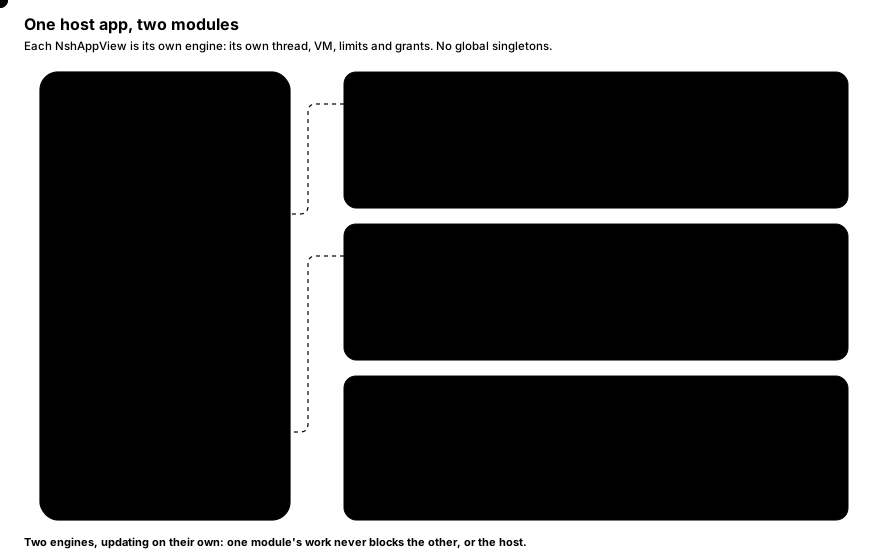
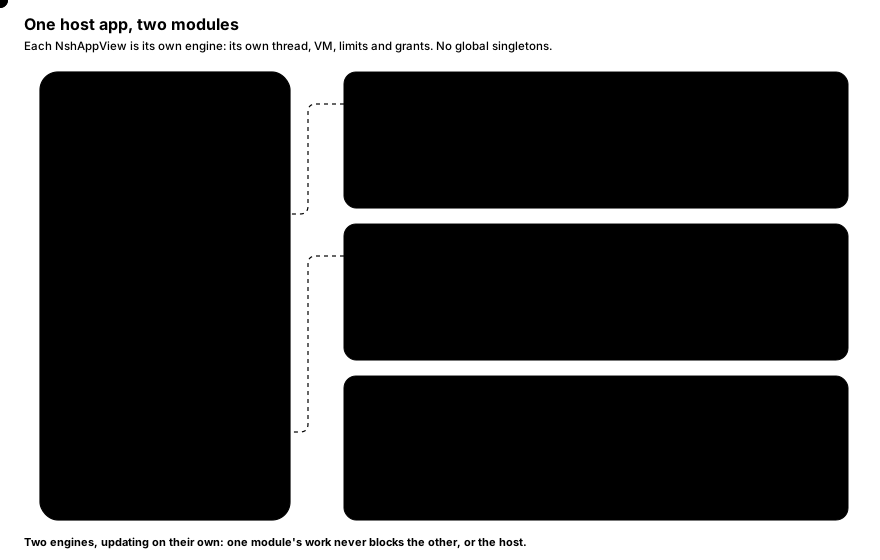
每個檢視都是一個獨立的引擎;沒有全域單例,因此一個應用程式可以同時顯示多個 NSH 應用程式,例如每個分頁一個。
#嵌入 Rust 應用程式
nsh_platform_ios::AppView 是一個引擎,以 UIView 的形式提供給用 Rust 建置的 iOS 應用程式:它會掛載你的 crate 的根元件,不涉及任何 JavaScript VM。
use nsh_platform_ios::{set_ui_sets, AppView, Root, SurfaceOptions};
use objc2::MainThreadMarker;
use objc2_ui_kit::UIView;

fn show(container: &UIView) -> AppView {
    // Once, before the first view: the UI sets the apps import (NSH's and your crate's).
    set_ui_sets(vec![nsh_base::registry(), my_app::registry()]);
    let mtm = MainThreadMarker::new().expect("main thread");
    let app = AppView::new(mtm, container.bounds(), SurfaceOptions::default());
    container.addSubview(app.view());
    app.run(Root::of::<my_app::App>());
    // Keep the AppView: dropping it stops the app.
    app
}
檢視會隨其 superview 調整大小。AppView::run 會取代正在執行的內容;AppView::load 則改為執行 TSX bundle(Bundle::source,或用 unsafe { Bundle::bytecode(bytes) } 載入應用程式 bundle 中的 bundle.nshc)。SurfaceOptions 保存限制、已授予的權限、資料目錄和原生元件,與下文 NshAppView 的成員相同;AppView::set_locale、set_font_scale 和 set_error_handler 分別對應 locale、fontScale 和 onError。nsh package --target ios 會為你建置這類應用程式,並掛載你的根元件。
#取得 framework
發佈內容包含兩種版本:
dist/nsh/embed/ios/NativeShell.xcframework      release: bundles and signed packages
dist/nsh/embed/ios/NativeShellDev.xcframework   also connects to a `nsh dev` server
從 NSH 的原始碼檢出中,你可以只建置 framework:
cargo xtask ios-embed # writes dist/nsh/embed/ios/{NativeShell,NativeShellDev}.xcframework預設建置會產生靜態 framework。若要建置動態 framework,請使用:
cargo xtask ios-embed --dynamic動態 framework 讓執行階段擁有自己的程式庫映像和 unwind 表,適合已連結其他 Rust 執行階段的 host 應用程式。請按你所建置的 framework,選擇下文的 Xcode 嵌入設定。
預設情況下,每個 XCFramework 包含三個 arm64 slice:iOS 裝置、iOS 模擬器(Apple silicon)和 Mac Catalyst。最低部署目標為 iOS 15.0。Swift 模組以 library evolution 編譯,因此使用其他版本 Swift 編譯器建置的應用程式也可匯入它;framework 已連結所需的一切,你無需再加入其他內容。
#加入 Xcode 專案
- 把
NativeShell.xcframework(開發建置則用NativeShellDev.xcframework)拖到 app target 的 Frameworks, Libraries, and Embedded Content。預設的靜態 framework 請選擇 Do Not Embed;以--dynamic建置的動態 framework 則選擇 Embed & Sign。 - 在 Swift 中,
import NativeShell。 - 在應用程式的
Info.plist中,把CADisableMinimumFrameDurationOnPhone設為YES:在配備 ProMotion 的 iPhone 上,應用程式的動畫便會以 120 Hz 運行,與捲動一樣(由nsh package建置的應用程式已具備此設定)。
#隨應用程式附帶 bundle
Swift 應用程式以 bundle 形式附帶 TSX 應用程式。把 NSH 應用程式建置到一個資料夾,然後把該資料夾以名為 nsh 的 folder reference 加入應用程式的資源:
nsh build App.tsx --release --out MyApp/nshnsh build 會寫出:
| 檔案 | 內容 |
|---|---|
bundle.nshc |
編譯成 bytecode 的應用程式:載入速度最快。 |
bundle.js |
同一個應用程式的 JS 原始碼。 |
bundle.js.map |
其 source map(堆疊追蹤會指向你的 .tsx 檔案)。 |
capabilities.json |
應用程式宣告的權限(當 nsh.json 有宣告時)。 |
assets/ |
應用程式匯入的圖片和字型,路徑相對於入口。 |
#顯示應用程式
import NativeShell
import UIKit

final class EmbedController: UIViewController {
    private let app = NshAppView()

    override func viewDidLoad() {
        super.viewDidLoad()
        app.translatesAutoresizingMaskIntoConstraints = false
        app.onError = { message in print("nsh error: \(message)") }
        view.addSubview(app)
        NSLayoutConstraint.activate([
            app.topAnchor.constraint(equalTo: view.safeAreaLayoutGuide.topAnchor),
            app.leadingAnchor.constraint(equalTo: view.leadingAnchor),
            app.trailingAnchor.constraint(equalTo: view.trailingAnchor),
            app.bottomAnchor.constraint(equalTo: view.bottomAnchor),
        ])

        guard let url = Bundle.main.url(forResource: "bundle", withExtension: "nshc", subdirectory: "nsh") else { return }
        do {
            try app.loadBundle(at: url)
        } catch {
            print("cannot load: \(error)")
        }
    }

    // Let the embedded app's pages and dialogs decide the status bar.
    override var preferredStatusBarStyle: UIStatusBarStyle { NshAppView.preferredStatusBarStyle }
    override var prefersStatusBarHidden: Bool { NshAppView.prefersStatusBarHidden }
    override var preferredStatusBarUpdateAnimation: UIStatusBarAnimation {
        NshAppView.preferredStatusBarUpdateAnimation
    }
}
檢視的大小就是應用程式的視窗:NSH 會按檢視的邊界排版應用程式,邊界每次改變時會重新排版。再次載入會取代正在執行的應用程式;檢視被釋放時,應用程式便會停止。
完整範例是一個 UIKit 應用程式,它在自己的原生標題列下方顯示 NSH 應用程式,位於 examples/embed-ios/main.swift。
#NshAppView
NshAppView 是隔離於 main actor 的 UIView 子類別。
| 成員 | 說明 |
|---|---|
init(frame: CGRect = .zero, trace: Bool = false) |
建立檢視。trace 會記錄每次 commit 的時間。init?(coder:) 支援 storyboard 和 nib。 |
onError: ((String) -> Void)? |
在主執行緒接收應用程式的致命錯誤(bundle 載入失敗、未捕獲的 JS 例外、因限制而停止的 VM)。錯誤一律會記錄;開發建置還會把錯誤顯示在應用程式上方。 |
limits: NshLimits |
此後載入的應用程式所用的 VM 限制。 |
grantCapabilities(_ json: String?) throws |
此後載入的應用程式至多可做的事,以 JSON 表示,格式同 nsh.json 的 capabilities;nil 會授予各應用程式所宣告的權限。JSON 無效時拋出 NshError。 |
locale: Locale? |
以此取代使用者的語言和地區:Intl、locale() 和各元件會立即跟隨,之後載入的應用程式也以此啟動。nil 則跟隨系統設定。 |
fontScale: CGFloat? |
以此取代 Dynamic Type 的文字大小(1 為預設):文字和輸入框會按此重新排版,fontScale() 也會讀取它,對目前和之後載入的應用程式即時生效;長度則保持原有大小。nil 則跟隨系統設定。 |
setThemeOverrides(_ json: String?) throws |
把 host 的品牌套用於應用程式的主題之上:這是一個主題檔案,格式同 nsh.json 的 "theme"。同名的 token 以它為準,亮色和暗色模式皆然,應用程式的其他 token 則保留。即時生效,並適用於之後載入的應用程式;nil 會把應用程式自己的主題還給它。檔案無法解析時拋出 NshError。 |
storageDirectory: URL? |
此後載入的應用程式保存其儲存空間的位置;nil:Library/Application Support/nsh/<app id>,按應用程式自己的 id 區分。 |
cacheOptions: NshCacheOptions |
此後載入的應用程式保存快取和其下載的圖片的位置,以及各自保留的容量:location .system(Library/Caches/nsh,每個應用程式位於 <app id>)、.directory(URL) 或 .off;images .default(256 MB)、.maxSize(megabytes:) 或 .off。 |
loadBundle(at url: URL) throws |
執行由 nsh build 寫出的 bundle。資產取自其旁邊的 assets/;其旁邊的 bundle.js.map 和 capabilities.json 也會被讀取。 |
run(_ package: NshPackage) |
執行已驗證的已簽署套件(見下文)。套件只能執行一次。 |
loadPackage(at:trust:) async throws -> NshPackage.Info |
在主執行緒以外驗證某個 URL 的套件,然後執行它。若被拒絕會拋出原因;正在執行的應用程式不受影響。 |
connectDevServer(_ url: URL) throws |
開發用:從 nsh dev 伺服器載入,並在每次改動時重新載入。對沒有開發支援的 NativeShell.xcframework 會拋出錯誤。 |
register(component:_:) |
註冊原生元件。 |
params: [String: Any] |
此後載入的應用程式的啟動參數:應用程式在啟動時以 host.params(host)讀取。 |
send(_ name: String, _ data: Any? = nil) |
向應用程式傳送事件(host.on(name, …));在應用程式開始監聽前會一直保留,若沒有應用程式在執行,則保留給下一個應用程式。 |
handle(_ name: String, _ handler:) |
在主執行緒處理應用程式對 name 的呼叫(host.call)和投遞(host.post):{ data, reply in … },或是 async throws 函式 { data in … },其結果即為該呼叫的回覆。 |
removeHandler(_ name: String) |
移除 name 的處理常式:應用程式對它的呼叫會立即失敗。 |
static preferredStatusBarStyle、prefersStatusBarHidden、preferredStatusBarUpdateAnimation |
執行中的應用程式所要求的設定(其頁面和對話框的 statusBar、nsh.json 的預設值):請從承載檢視控制器的 override 中回傳。 |
limits、grantCapabilities、storageDirectory 和 cacheOptions 從下一次載入起生效:請在 loadBundle / run 之前設定。
每個應用程式無需任何設定,即在自己的 id 下保存儲存空間:已簽署套件使用其發佈金鑰憑證所擔保的 id,bundle 則使用其 nsh.json 的 id(旁邊的 app.json,由 nsh build 寫出)。可設定 storageDirectory,把應用程式的資料保存在 host 選定的位置:
app.storageDirectory = FileManager.default
    .urls(for: .applicationSupportDirectory, in: .userDomainMask)[0]
    .appendingPathComponent("nsh/com.example.orders")
try app.loadBundle(at: url)#與應用程式溝通
檢視和它所執行的應用程式透過各自專用的通道(host)溝通:包括應用程式在啟動時讀取的啟動參數、來自 host 應用程式的事件,以及來自應用程式的呼叫和投遞,資料為 JSON(在此端則是 Foundation 物件)。它不需要應用程式中有任何檢視,也不需要原生元件。
// Before loading: what the app opens first (`host.params` in TSX).
app.params = ["conversation": notification.conversationID]
try app.loadBundle(at: url)

// The app's `await host.call("user.profile", { id })`: return the answer, or throw to reject it.
app.handle("user.profile") { data in
    let id = (data as? [String: Any])?["id"] as? Int ?? 0
    let profile = try await api.profile(id: id)
    return ["id": id, "name": profile.name]
}

// A handler that answers later, from any thread, with its reply.
app.handle("photo.pick") { _, reply in
    picker.present { url in
        if let url { reply.resolve(url.absoluteString) } else { reply.reject("cancelled") }
    }
}

// The app's `host.post("analytics", …)`: no answer.
app.handle("analytics") { data, _ in analytics.log(data) }

// Later: the app hears `host.on("conversation.open", …)`.
app.send("conversation.open", ["id": tapped.conversationID])
處理常式在主執行緒上執行;呼叫會在應用程式中等待回覆,而不會阻塞任何一方。若回覆在未作答的情況下被釋放,呼叫便會失敗;對沒有處理常式的名稱發出呼叫,會立即失敗。應用程式尚未監聽的名稱所對應的事件會保留,直到它開始監聽;在沒有應用程式執行時傳送的事件(在 loadBundle 之前、重新載入期間)會交給下一個應用程式,因此在應用程式啟動期間點按的通知仍然可以送達。
#主題覆寫
同一個應用程式嵌入多個不同品牌的 host 應用程式時,會採用各 host 的品牌:host 提供其品牌所更改的 token,格式為主題檔案,同 nsh.json 的 "theme"(shadcn/ui 的 cssVars,值按 CSS 的寫法)。它們會取代應用程式中同名的 token;應用程式的其他 token 則保留。把 token 的暗色模式值放在 dark 之下(只放在 light 或 theme 之下的一組,在兩種模式中都是該顏色):
try app.setThemeOverrides("""
{ "cssVars": {
    "theme": { "radius": "0.75rem" },
    "light": { "primary": "#e11d48", "primary-foreground": "#ffffff" },
    "dark": { "primary": "#fb7185", "primary-foreground": "#1c1917" }
} }
""")
try app.loadBundle(at: url)可在載入之前或之後呼叫:bg-primary 和 rounded-(--radius) 等類別會立即重新套用樣式,之後載入的每個應用程式在首個畫面就帶有這些覆寫。setThemeOverrides(nil) 會把應用程式自己的主題還給它。
#應用程式開啟的連結
應用程式開啟的 URL(openUrl,TextView 帶有 links="open" 的連結)會先到達 onOpenURL,並在主執行緒上處理:host 應用程式已處理該 URL(例如交由自己的 router 路由)時回傳 true;回傳 false 則由系統以 UIApplication.open 開啟。沒有 onOpenURL 時,系統會開啟每個 URL。URL 是在應用程式的 openUrl 權限允許之後才會到達它。
app.onOpenURL = { url in
    // The host app's own links open in the host app.
    if url.scheme == "lb" || url.host == "longbridge.com" {
        router.open(url)
        return true
    }
    return false
}#限制
app.limits = NshLimits(memoryMB: 128, callBudget: 1, maxNodes: 50_000)NshLimits 欄位 |
預設值 | 意義 |
|---|---|---|
memoryMB: UInt32? |
256 | JS heap,單位 MB。耗盡時應用程式會停止。 |
stackKB: UInt32? |
4096(亦為最大值) | 直譯器堆疊,單位 KB。遞迴過深會拋出 RangeError。 |
loadBudget: TimeInterval? |
10 秒 | 評估 bundle 的時間。 |
callBudget: TimeInterval? |
2 秒 | 任何其他進入 JS 的呼叫所用的時間(一個事件、一個計時器、一個影格)。超時的呼叫會被中止。 |
maxNodes: UInt32? |
200 000 | 應用程式可保留的節點數目。 |
nil 會保留預設值。各項限制被觸發時的行為:沙盒與權限。
#權限
應用程式在其 nsh.json 中宣告它可存取的內容;嵌入它的應用程式可以授予較少的權限。請求必須同時獲得雙方允許:
try app.grantCapabilities("""
{
  "network": { "hosts": ["api.example.com", "*.cdn.example.com"] },
  "webview": { "hosts": ["help.example.com"] }
}
""")
try app.loadBundle(at: url)
在此例中,即使應用程式的 nsh.json 提出要求,它也不能設定狀態列(沒有 statusBar)。詳情:沙盒與權限。
#已簽署套件
若要執行應用程式下載的程式碼(更新、第三方小程式),請使用已簽署套件:nsh publish 會寫出由發佈金鑰簽署的 .nshpkg,該發佈金鑰經你的根金鑰認證,應用程式在執行前會先驗證它。
let support = FileManager.default.urls(for: .applicationSupportDirectory, in: .userDomainMask)[0]
let trust = try NshTrust(stateDirectory: support.appendingPathComponent("nsh"))
try trust.addRoot(rootPublicKey)   // the contents of root.pub from `nsh keygen`

Task {
    do {
        let info = try await app.loadPackage(at: downloadedFile, trust: trust)
        print("running \(info.id) \(info.version) (build \(info.build))")
    } catch {
        print("refused: \(error)")   // the running app stays
    }
}
若要先驗證、稍後再執行,可把兩個步驟分開:
let package = try await trust.openPackage(at: downloadedFile)   // verifies off the main thread
// ... decide, ask the user, ...
app.run(package)#開發
使用 NativeShellDev.xcframework 時,將 view 指向開發伺服器,而非 bundle:
#if DEBUG
try app.connectDevServer(URL(string: "ws://127.0.0.1:8790/ws")!)
#else
try app.loadBundle(at: bundledURL)
#endif
在你的 Mac 上執行 nsh dev App.tsx。模擬器與 Mac 共用網絡,因此 127.0.0.1 可以連線到伺服器;實體裝置則使用 nsh dev 印出的區域網絡位址(devices on this network: ws://192.168.1.20:8790/ws)。每次儲存都會即時更新應用程式,日誌會顯示在 nsh dev 終端機中,錯誤則會顯示在應用程式上方。詳見開發伺服器與除錯。
#備註
- 執行緒。
NshAppView受 main actor 隔離。NshTrust、NshPackage及NshComponentContext是執行緒安全的。 JS 引擎在自己的執行緒上運行;主執行緒絕不會等待它。 - 狀態列。 嵌入式應用程式的頁面和對話框(
statusBar)會改變NshAppView.preferredStatusBarStyle等方法的回傳值; 代管的 view controller 必須轉發這些值,如上述範例所示。 - 安全區域。 應用程式在 Rust 中使用
safe_area(),在 TSX 中則照常於 padding 使用env(safe-area-inset-*),或使用nsh提供的safeAreaInsets()。放置在你自己的標題列下方的NshAppView,會取得適用於它本身的邊距,而不是視窗的邊距。 - Mac Catalyst。 同一個框架可用於 Catalyst 應用程式。